Six new invitations, together in one section
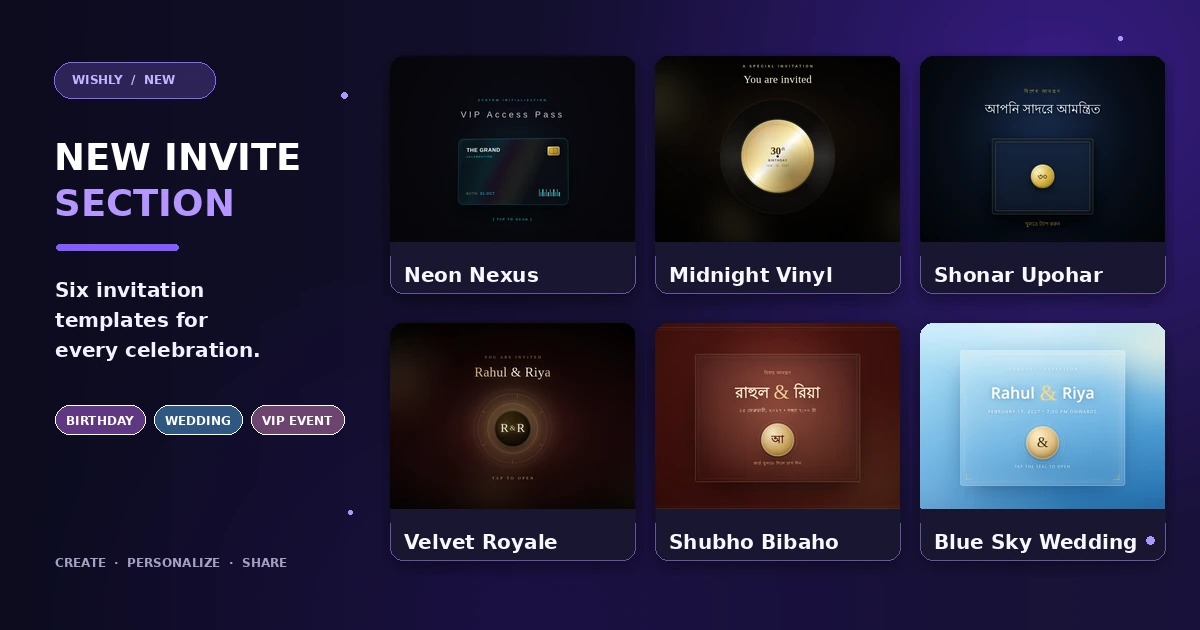
The new Invite category makes it easier to find an invitation instead of browsing through unrelated wish templates. It brings together two birthday invitations, three wedding invitations and one VIP event design. Each starts with its own visual reveal and can be personalized in the Wishly Builder.
- Birthday: Midnight Vinyl and Shonar Upohar
- Wedding: Velvet Royale, Shubho Bibaho and Blue Sky Wedding
- VIP event: Neon Nexus
- Every design has editable event details and a live countdown; the venue and RSVP features vary by template
- Neon Nexus | VIP Invitationinvitation · Live demo
- Midnight Vinyl Birthday Invitationinvitation · Live demo
- Shonar Upoharinvitation · Live demo
- Velvet Royale Wedding Invitationinvitation · Live demo
- Shubho Bibahoinvitation · Live demo
- Blue Sky Wedding Invitationinvitation · Live demo





For birthdays: Midnight Vinyl and Shonar Upohar
Midnight Vinyl is made for a music-loving celebration. A spinning vinyl record creates the opening reveal before the birthday invitation, age and event details appear. You can personalize the recipient’s name, age, date and time, invitation message, venue and host line. Its live countdown follows the saved birthday event date.
- Midnight Vinyl: a cinematic record reveal with a dark, ivory and gold visual style
- Shonar Upohar: a Bengali birthday invitation built around a floating 3D gift box and a golden-seal reveal
- Shonar Upohar lets you edit the recipient’s name and age, event date and time, message, venue and host details
For weddings: three different looks for your big day
Velvet Royale is the wine-and-gold choice: a glowing medallion opens into an elegant ivory invitation card. Edit the couple’s names, event date and time, message, venue, address and family signature.
- Velvet Royale: cinematic, formal and elegant, with a glowing medallion reveal
- Shubho Bibaho: a Bengali wedding invitation with a sealed maroon-and-gold cover, editable couple names, event details and a venue map link
- Blue Sky Wedding: a light sky-blue design with a golden wax-seal reveal, couple names, event information and a venue map link
- All three wedding invitations include a live countdown connected to the saved event date and time
For a special celebration: Neon Nexus VIP Invitation
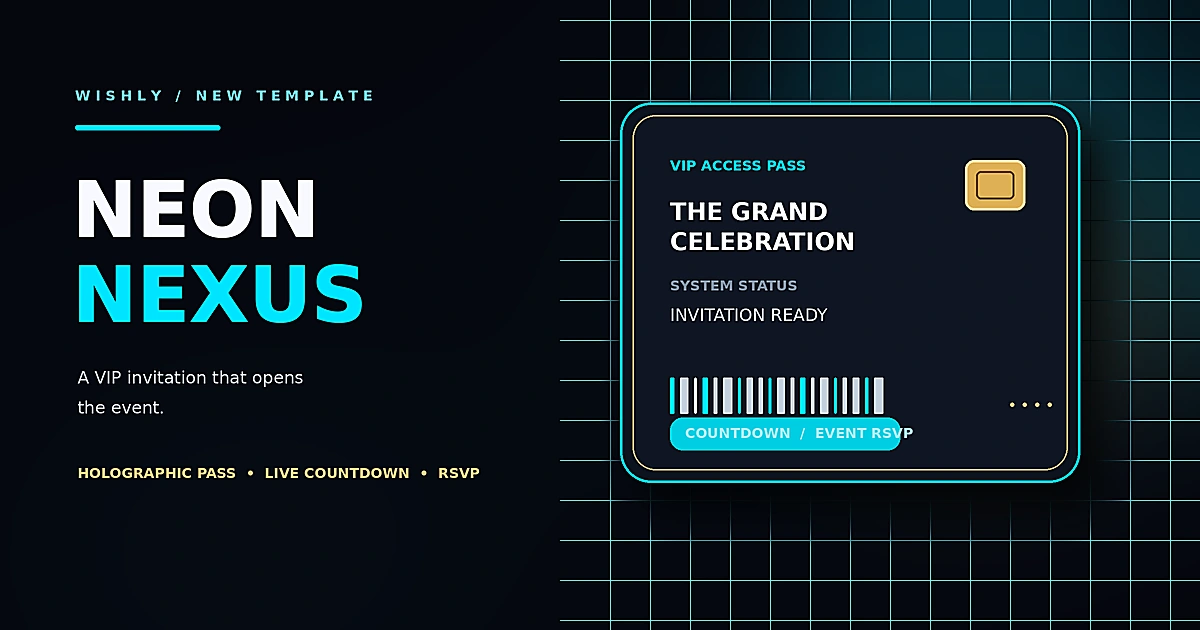
Neon Nexus gives a private party, gala or special event a futuristic entrance. Guests first see a holographic VIP access pass and tap it to reveal the event website. The revealed page brings the countdown, event details, dress code, itinerary, photo gallery and venue information together.
- A four-part editable event itinerary
- Five replaceable gallery photos and a separate venue photo
- A venue section with a map-search link
- A guest RSVP form for name, attendance choice and guest count; replies from the published invitation appear in the website owner’s Wishly Visitor Replies dashboard
How to make and share your invitation
- 1
Open the Invite section
Visit Templates and choose Invite, or open the invitation collection directly. Preview the designs and select the one that suits your occasion.
- 2
Add your event information
Use Quick Setup to enter the names, title, message, date, time and venue fields available in that template. For a wedding, add both names and the venue details; for a birthday, add the recipient and age.
- 3
Personalize the design
Open Edit mode to replace photos and adjust the visible text, schedule and other template-specific details. Use Builder Settings to choose a theme colour or font for the active template.
- 4
Preview, publish and invite guests
Check the page on desktop and mobile, save a draft if you are not ready, or create the live link when everything is correct. Share that public link with your guests. For Neon Nexus, test the RSVP on the published link.
Choose the invitation that fits the occasion
Choose Midnight Vinyl or Shonar Upohar for a birthday. Pick Velvet Royale for a formal wine-and-gold wedding look, Shubho Bibaho for a Bengali maroon-and-gold invitation, or Blue Sky Wedding for a soft sky-blue design. For a gala or private event that needs a VIP-style entrance and a dedicated RSVP form, choose Neon Nexus.
- You do not need to code or design a page from scratch
- The event date and time drive the invitation countdown
- A published invitation is shared as one link; guests do not need to install an app
Common questions
Where can I find the new Invite section?
Open the Templates page and choose the Invite category, or visit /templates/invitation directly.
Which new templates are for birthdays?
Midnight Vinyl Birthday Invitation and Shonar Upohar are the two birthday invitation designs.
Which templates are for weddings?
Velvet Royale Wedding Invitation, Shubho Bibaho and Blue Sky Wedding Invitation are the three wedding designs.
Do the invitations have a countdown?
Yes. All six templates include a countdown connected to the event date and time saved in the Builder. Set the real date and time before publishing.
Can guests RSVP to every invitation?
Neon Nexus includes a dedicated RSVP form connected to Wishly Visitor Replies. The other templates keep their existing Wishly reply behaviour; they do not use the same custom guest-count RSVP form.
Can I change colours and fonts?
Yes. Use Builder Settings to change the theme colour or font for the template you are editing. The setting belongs to that active template.
Can I edit the invitation after publishing?
Yes. Open the website from your dashboard, make the changes and publish again. The existing website link remains the same.